

Website traffic tells you how many people are showing up. Website lead tracking helps you understand which visitors may actually turn into customers and what happens after they first interact with your business.
The challenge is that even basic conversion activity is not always easy to follow from start to finish. In one Ruler Analytics survey, 36% of marketers using form submissions said they struggled to track them effectively.
That gap can make it harder to understand what happens between a website visit and a real sales opportunity. Better tracking gives sales and marketing teams a clearer picture of which leads are worth paying attention to and how interest develops over time.
With all that in mind, what should you actually track, and how can you turn website activity into useful lead data?
In this guide, we’ll cover the full lead tracking process, from identifying visitors to scoring, routing, and following up with potential customers.
TL;DR
- Website lead tracking helps you understand how potential customers discover and interact with your business. It connects website activity with lead information so you can identify stronger opportunities and follow their progress.
- Good tracking starts with meaningful visitor behavior. Traffic sources, repeat visits, form submissions, and intent signals can give your team more context around each prospect.
- Lead scoring helps prioritize follow-up. Fit, engagement, and buying intent can help separate promising leads from prospects who still need nurturing.
- Connected tools make lead data easier to act on. CRM and marketing integrations can support routing, follow-up, attribution, and measurement throughout the sales cycle.
- Capturify helps turn anonymous traffic into actionable leads. It combines visitor identification, buyer-intent data, and automated activation so you can follow up with prospects showing interest. Book a demo today.
What Is Website Lead Tracking?
Website lead tracking is the process of collecting and organizing information about people who visit your website and may become customers.
Depending on the technology you use, lead tracking can include known prospects who submit a lead form as well as anonymous website visitors who have not directly shared their contact details.
A tracking system may record website visits, traffic sources, page activity, conversions, and other behavioral data. More advanced tools can also help identify visitors or companies and connect activity with existing customer records.
What you get is a clearer picture of how someone interacts with your business before entering the sales process.
For example, a visitor who repeatedly views a high-intent service page may deserve more attention than someone who reads one educational article and leaves.
Good website lead tracking gives marketing and sales teams enough context to make that distinction without treating every visit as an equal opportunity.
How Does Website Lead Tracking Work?
Lead tracking work varies depending on the tracking tool and your sales setup, but most systems follow a similar flow.
Let's go over how website lead tracking typically works:
1. A Visitor Lands on Your Website
Lead tracking begins with a website visit.
Someone may discover your business through organic search, a referral, paid ads, or another marketing channel. How they arrived can provide useful context about which part of your lead generation strategy brought them in.
UTM parameters and attribution tools can help preserve that source information. UTM parameters are small tags added to a URL that show where a visitor came from, such as a specific ad, campaign, or email.
On the other hand, attribution tools use that information, along with other tracking data, to connect visits and leads back to the marketing source that generated them.
For example, a visitor coming from a high-intent Google Ads campaign may deserve different treatment from someone arriving through a general educational article.
Traffic source alone does not prove buying intent, though. It becomes more useful once you combine it with what the visitor does next.
2. Tracking Software Records Visitor Activity
Once someone reaches your site, website visitor tracking software can begin recording permitted activity.
Depending on the tool, it may track:
- Pages viewed
- Visit frequency
- Referral source
- Conversion activity
- Interactions with key pages
A single visit may not reveal much. Repeated activity, however, can show how interest changes over time.
For example, someone who returns several times and spends more time researching a service may be moving further into the sales funnel.
Tracking visitor behavioral data also reduces the need to review sessions manually. More advanced features can connect activity over multiple visits, which can help your team build a clearer picture before deciding how to nurture leads.
3. The Visitor or Company Is Identified
Traditional analytics can tell you what happened on your website without revealing who was behind the activity. Visitor identification adds another layer.
Depending on the platform, identification may happen at the person level, company level, or both. Available information can include contact details as well as business data such as company name or job title.
Coverage varies between platforms, so no system will identify every visitor. Known prospects may also become identifiable after completing a form, logging into an account, or interacting through a link connected with an existing lead record.
Real-time visitor identification can be particularly useful when intent appears strong. Faster identification can help your team capture leads while interest is still fresh and give sales more context before outreach begins.
Capturify handles this by using a tracking pixel to identify anonymous website visitors and build enriched profiles with 40+ data points. Those profiles can then be sent to your CRM or used for automated follow-up.
Try it for yourself. Unlock 500 free leads with Capturify.
4. Behavioral and Intent Signals Are Added
Identity helps show who a visitor may be, but behavioral data gives you more context about what they appear interested in.
Lead tracking systems can combine multiple interactions into a broader view of lead behavior.
Signals may include repeat visits, movement toward high-intent pages, or stronger engagement with conversion points. Some platforms also add behavioral information collected outside your website. However, no single action proves someone is ready to buy.
A pricing-page visit, for example, could signal serious evaluation or simple research. Several related behaviors over time usually provide stronger evidence.
Marketing teams can use those patterns to separate early interest from activity that may deserve faster attention.
The same information can also support paid ads, segmentation, and nurture campaigns before direct outreach makes sense. For an outbound lead, behavioral signals can add useful context before a sales rep makes contact.
5. Leads Are Scored or Segmented
Once enough lead data has been collected, your team needs a way to decide which prospects deserve attention first.
Lead scoring assigns weight to characteristics or actions associated with stronger fit or intent. Depending on your business, scoring criteria may include:
- Engagement: Repeated visits or deeper interaction with key pages can raise a lead's score.
- Fit: Company information or job title may help indicate how closely someone matches your target customer.
- Buyer intent: Actions tied more closely to a buying decision can help surface the most promising leads.
In addition to that, scoring can help separate marketing qualified leads from prospects who still need nurturing. Sales qualified leads may require a higher threshold before entering the active sales process.
Some businesses also use product qualified leads or service qualified leads. Either way, the exact labels matter less than having a system your marketing and sales teams understand and apply consistently.
6. Lead Data Is Sent to Your Sales or Marketing Tools
Lead tracking becomes much easier to use once the data reaches the tools your team already works with.
A visitor tracking tool can send identified prospects and their activity into your CRM, marketing tool, or lead management software. As new behavior comes in, existing records can be updated so you get a clearer view of the entire customer journey.
From there, automation can take over some of the follow-up.
High-value leads might go straight to sales, while earlier-stage prospects stay in a nurture sequence. Other contacts can be added to relevant audiences or campaigns based on what they’ve shown interest in.
Capturify also supports automated revenue recovery. This key feature helps you reconnect with identified prospects through channels like email and paid ads after they leave your site.
For you, the main benefit is less manual sales lead tracking and more context when it’s time to follow up, allowing sales teams to see how a lead found you and what they did before contact begins. Customer success teams can also use that history later when existing customers return or show renewed interest.
What Data Can Website Lead Tracking Capture?
The exact information available depends on your tracking platform, website setup, and privacy requirements.
Still, several types of data commonly contribute to effective lead tracking:
- Contact information: Identification platforms or direct lead capture can provide information such as a visitor's name, email address, or phone number when available.
- Company information: B2B tools may connect website visitors with company details to help sales teams understand which organizations are showing interest.
- Traffic source: Attribution data can show how a visitor discovered you, including sources like organic search or paid advertising.
- Website behavior: Tracking may record pages viewed, repeat website visits, or interaction with important conversion points.
- Campaign data: Marketing data can connect visitors with the campaigns that brought them to your site.
- Conversion activity: Form submissions, bookings, purchases, and other conversion events can be added to a lead record.
- Intent signals: Behavioral patterns can indicate which prospects appear to be moving closer to a buying decision.
What Are the Benefits of Website Lead Tracking?
Website lead tracking gives you more context than traffic numbers alone. See some of the main ways it can support your marketing and sales efforts:
Identify Leads That Never Fill Out a Form
Form submissions only capture people who are willing to identify themselves. Plenty of interested website visitors leave without taking that step.
Visitor identification can help uncover some of the audience that traditional lead capture misses.
For example, someone may visit your site several times while researching a service but never complete a form. Standard conversion reporting may treat those sessions as traffic that failed to convert.
An identification platform may be able to connect some of that activity with an individual or business, depending on its capabilities and available data. That can give your team another potential lead to evaluate.
Qualification still matters, though. A known visitor is not automatically a good prospect. Consider factors such as:
- Engagement
- Intent
- Fit
- Recent activity
Those signals can help you decide which identified visitors deserve attention and which ones are better left in nurture.
Spot High-Intent Visitors Earlier
A prospect does not suddenly become interested the moment they submit a form. Research often begins much earlier.
Website lead tracking can reveal changes in behavior that suggest someone is moving closer to a buying decision.
Useful signals may include:
- Repeat visits: Returning several times can indicate growing interest.
- High-intent page views: Activity on pricing, service, or product pages may suggest deeper evaluation.
- Stronger engagement: Spending more time with key content can add useful context.
- Recent activity: A sudden increase in visits may signal that interest is becoming more immediate.
But keep in mind that no individual signal guarantees a purchase. Looking at several related behaviors together gives your team a stronger basis for deciding who may be worth contacting sooner and who should remain in nurture campaigns.
Prioritize Sales Follow-Up
A growing lead volume creates another challenge: deciding who sales reps should contact first.
As mentioned, lead scoring can help by assigning greater priority to prospects who match your ideal customer profile and show stronger purchase signals.
Lower-intent leads can continue through automated campaigns until their behavior changes.
Prioritization keeps sales efforts focused on opportunities with stronger supporting evidence. For instance, someone who has returned several times after previously requesting information may deserve faster follow-up than a visitor who made one brief visit.
However, scores should not stay static forever. Review how your highest-scoring leads actually perform once they enter the sales pipeline. If supposedly hot leads rarely progress, your scoring model may be giving too much weight to the wrong signals.
Pro tip: Comparing scores against real outcomes can help you measure lead quality and improve your criteria over time.
Build Better Retargeting Audiences
Tracking data can also improve what happens outside direct sales outreach.
Visitor behavior gives marketing teams another way to build audiences based on demonstrated interest. Someone researching a particular service, for example, could enter a relevant retargeting campaign.
Audience targeting becomes more useful when it reflects actual behavior rather than treating every visitor the same.
You can also segment people based on where they appear to be in the customer journey. Someone showing early interest may need a different message from someone who has already viewed pricing several times.
Connections with platforms such as Meta or Google Ads can make activation easier when your lead tracking software supports those integrations.
Retargeting practices should still be handled carefully. Things like sensible frequency, relevant messaging, and privacy-conscious data use can help you stay useful without overwhelming people who visited your site once (and possibly pushing them away forever).
Understand Which Marketing Channels Generate Valuable Leads
Lead attribution becomes more useful when you evaluate quality along with quantity.
One campaign may generate a large number of leads that rarely advance. Another could bring in fewer contacts but produce more qualified opportunities.
Website lead tracking can connect marketing channels with activity later in the sales funnel.
For example, Google Analytics can help you understand traffic and conversion behavior, while CRM and lead tracking data can add information about qualification and sales outcomes. Looking at both sides gives you a stronger basis for budget decisions.
Rather than judging marketing campaigns mainly on clicks or initial conversions, you can look at which sources produce the best leads for your business.
Tracking the path from first interaction to revenue can also give marketing and sales a shared view of performance. In turn, this can make it easier to see which efforts are actually contributing to pipeline.
How to Track Leads From Your Website
A strong lead tracking process gives you a clear path from the first website visit to follow-up and measurement.
Here’s how you can build one without collecting more data than your team can realistically use:
1. Define What Counts as a Qualified Lead
Start by deciding what makes someone worth pursuing.
Your criteria should reflect both fit and intent. A prospect may match your target account profile but show very little interest, while another may be highly engaged but fall outside the type of company you usually serve.
Different lead stages can help you make those distinctions and keep your lead management process consistent.
For example, imagine you sell payroll software to mid-sized businesses. A visitor from a 300-person company may fit your target profile, but one visit to a general blog post probably is not enough to send them to sales.
At the very least, your qualification criteria could include:
- Fit: Does the company match your target account profile?
- Engagement: Has the prospect returned or interacted with important pages?
- Intent: Are their actions suggesting active evaluation?
2. Install Website Lead Tracking Software
Next, choose a tracking tool that captures the information your process actually needs.
Basic platforms may focus on visitor tracking and analytics, while other systems add visitor identification, behavioral analysis, or lead enrichment.
Installation often involves adding a tracking script or pixel to your website. Some platforms can also connect through an existing tag manager or website integration.
Once everything is installed, check that key activity appears correctly.
For the payroll software example, you may want to confirm that visits to product pages and form submissions are tied to the correct account or lead.
Test:
- Page views
- Repeat visits
- Form submissions
- Traffic sources
- Conversion events
3. Connect Your CRM and Marketing Platforms
Connecting your CRM allows website activity to become part of the broader customer record. Marketing automation platforms can use the same information to trigger campaigns or support lead nurturing.
Start with the connections that directly support your workflow.
Going off our example, you might send the account into your CRM after engagement reaches a certain threshold. Your email platform could then add the contact to a relevant nurture sequence.
A clean connection gives marketing and sales teams a more consistent view of each lead and makes it easier to follow activity through the entire sales cycle.
4. Track Important Visitor Behavior
More tracking does not automatically produce better insights. So, focus on actions that could reasonably signal stronger buying intent.
Review how successful customers behaved before converting, then look for similar patterns among current prospects.
For the payroll software visitor, useful signals might include:
- Repeat product-page visits: Returning several times can suggest growing interest.
- Pricing activity: Looking at pricing or plan details may indicate active evaluation.
- Demo engagement: Starting or submitting a demo request can signal much stronger intent.
Other activity may matter too, depending on your sales model.
The useful part comes from turning those patterns into actionable insights instead of treating every website event as equally important.
5. Create Lead Scoring Rules
Lead scoring helps you turn activity into a clearer priority system.
Assign more weight to signals that have historically lined up with stronger fit or purchase intent. You can also subtract points when behavior suggests lower relevance.
For the payroll software lead, one blog visit might carry very little weight. Returning to the product page, checking pricing, and viewing an integration page could raise the score enough to justify sales attention.
Keep your first model simple. Once leads move through the sales process, compare their scores with real outcomes. Look at which ones book demos, enter pipeline, or become customers. Then, use those results to refine the model.
Generally, a practical scoring system should help your team identify the most promising leads faster and make your marketing efforts more focused.
6. Set Up Automated Follow-Up
Once your lead tracking system can recognize meaningful activity, automation can help you respond faster.
Possible actions include:
- Route high-intent leads to sales
- Start a lead nurturing sequence
- Add contacts to relevant ad audiences
- Update lead status
- Trigger a follow-up task
Match the response to the strength of the signal.
For example, the payroll software visitor who reads one educational article may stay in nurture. If the same account later returns to pricing and integration pages, your system could alert a sales rep or trigger more targeted outreach. Use the information you already have to make follow-up more relevant.
7. Review Lead Quality and Performance
Your tracking system should improve as more leads move through the funnel. Review which leads progress and how accurately your scoring rules predicted quality.
For the payroll software example, you may discover that accounts visiting integration pages are much more likely to book demos. If so, that behavior could deserve more weight. Another signal may look promising but rarely lead anywhere.
In addition, sales feedback can help fill in the gaps. Reps may notice that certain leads appear strong in the data but rarely turn into meaningful opportunities. Marketing data can then help you investigate why.
Also, regular reviews let you adjust scoring rules, targeting, and campaign spend based on actual outcomes. Over time, your team gets a clearer picture of which marketing efforts are generating leads that are actually moving through the sales cycle.
What Is Website Lead Tracking Software?
Website lead tracking software helps you collect and organize information about people who interact with your site, then use that data to support qualification and follow-up.
Depending on the platform, it can track traffic sources, page activity, repeat visits, form submissions, and other behavior tied to a lead. It may also identify anonymous website visitors, enrich contact records, score leads, and send information into your CRM or marketing software.
Naturally, the right setup depends on what you need from the data. Google Analytics can help with traffic and conversion reporting, while dedicated lead tracking platforms focus more directly on turning visitor activity into usable lead information.
Capturify combines visitor identification with intent data and activation, so businesses can connect website activity with known prospects and move those leads into sales or marketing workflows.
When comparing tools, focus on how well each one supports the full path from website visit to follow-up.
What to Look for in Website Lead Tracking Software
Lead tracking software can vary significantly, so compare capabilities against the actual workflow you want to build.
Useful areas to evaluate include:
- Visitor identification: Check if the software can identify individuals, companies, or both, and how its identification methodology fits your market.
- Behavior tracking: Look for useful visibility into visitor activity rather than a long list of metrics you will rarely use.
- Lead scoring: Good scoring tools should let you prioritize leads using criteria relevant to your sales process.
- Data enrichment: Additional profile information can give your team useful context before outreach begins.
- Integrations: Check connections with the CRM, advertising platforms, and marketing software already central to your workflow.
- Automation: Useful automation can route leads or trigger follow-up based on predefined activity.
- Attribution: Look for ways to connect leads with the marketing channels and campaigns responsible for generating them.
- Privacy controls: Review how the provider handles data collection, consent, compliance, and opt-out requirements.
Achieve Effective Lead Tracking With Capturify
If you already have people visiting your site, Capturify can help you get more from that traffic.
The platform identifies anonymous visitors and turns that activity into lead profiles your team can actually use. Capturify says those profiles can include more than 40 data points, with identification rates of up to 60% of anonymous website traffic.
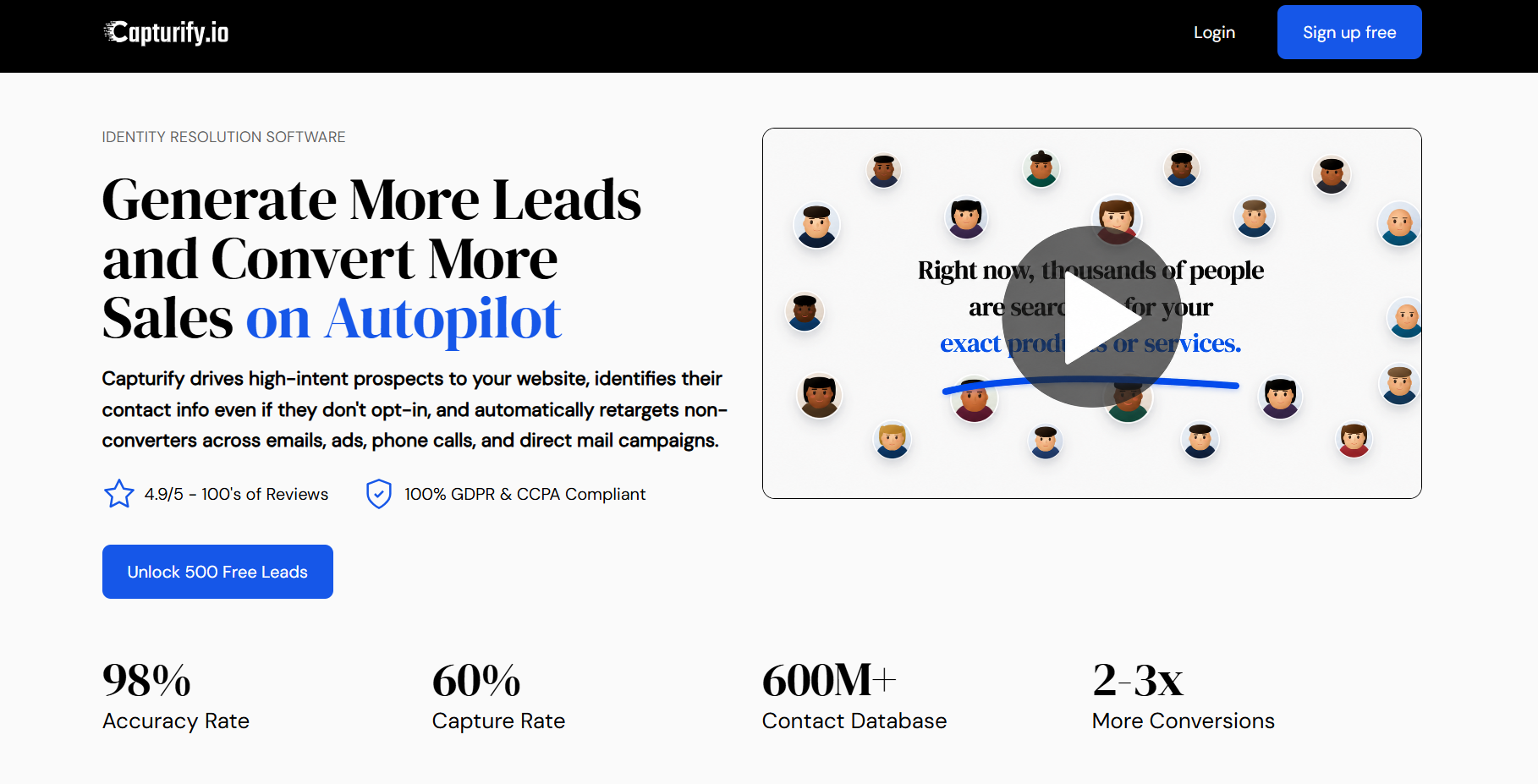
From there, you can move identified leads into your CRM and follow up based on the interest they’ve already shown. The platform gives you a clearer path from website activity to actual outreach, without relying only on form submissions.
Capturify also includes buyer-intent targeting and automation features, so you can keep building on the same lead data as prospects move closer to a decision.
Get 500 free leads with Capturify today.
FAQs About Website Lead Tracking
What is a website lead?
A website lead is a potential customer who has shown interest through your site. That could mean submitting a form, requesting information, booking an appointment, or taking another action tied to your sales process. Visitor identification tools can also reveal some anonymous visitors, though website activity alone does not automatically make someone a qualified lead.
What does lead tracking mean?
Lead tracking means recording information about potential customers as they move through your marketing and sales process. It can include lead source, website activity, qualification status, follow-up, and sales outcomes. A lead tracking system brings that data together so your team can see how a prospect found you and what has already happened.
What is the best lead tracking software?
The best lead tracking software depends on what you need to track and how your team uses the data. Useful features can include visitor identification, lead scoring, CRM integrations, automation, attribution, and pipeline management. If anonymous traffic is a major concern, visitor identification may deserve more weight.
How can you keep track of new leads?
You can use lead tracking software or a CRM to record where each inbound lead came from, what they did, and what follow-up has happened. Manual lead tracking may work at a low volume, but it becomes harder to manage as more prospects come in.