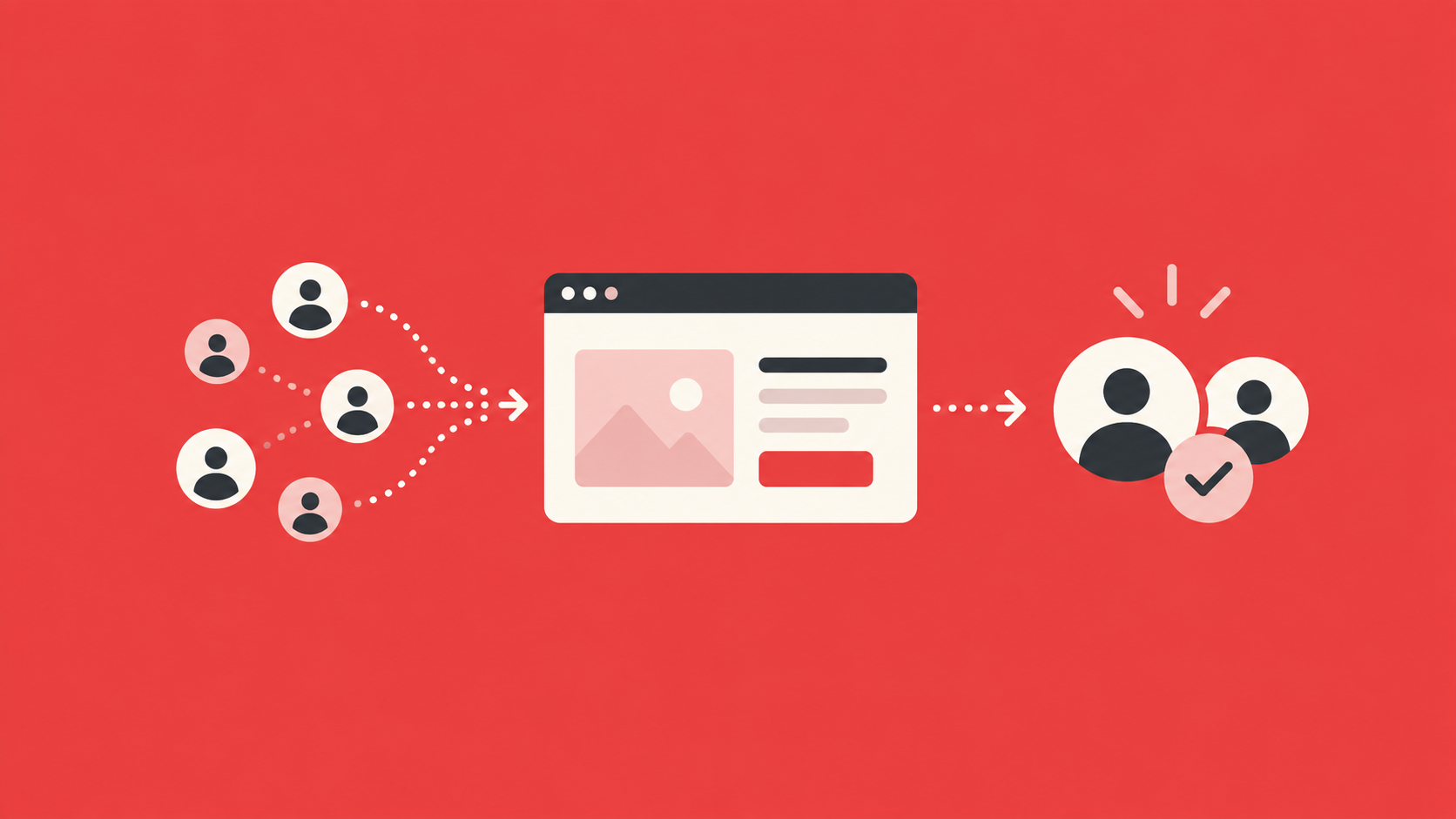

B2B teams have plenty of work that follows a predictable pattern. Usually, it goes like this: a lead takes an action, data gets updated, someone follows up, and the next step depends on what happened before.
B2B automation connects those steps, so your team can spend less time moving information around manually.
Salesforce reports that sales reps spend 60% of their time on non-selling work, which shows how much room there is to reduce repetitive administrative tasks through smarter workflows.
The technology can support anything from lead generation to customer engagement. It can route qualified leads, trigger personalized communications, update CRM data, and help sales reps focus on prospects showing stronger buying signals (among many other capabilities).
So, where does automation actually make sense for your business?
In this guide, we’ll look at how B2B automation works, what you can automate, the main types of automation, practical examples, and how to build an automation strategy that supports your sales and marketing efforts.
TL;DR
- B2B automation uses software and predefined rules to handle repetitive work, move leads through workflows, and help sales and marketing teams respond faster.
- Common use cases include lead routing, CRM updates, email marketing automation, customer segmentation, pipeline management, and internal notifications.
- Marketing automation, sales automation, lead generation automation, customer data automation, and workflow automation can each support a different part of the customer journey.
- A strong automation strategy starts with clear business objectives, practical triggers, defined team ownership, and software that fits your existing processes.
- Capturify can support B2B automation by combining visitor identification and intent data with audience activation to help teams act on high-intent prospects earlier.
What Is B2B Automation?
B2B automation is the use of software to complete routine business processes automatically based on inputs such as predefined rules, data, customer behavior, and other triggers.
A business might use automation tools to capture new leads, update records in a CRM system, send follow-up emails, or notify a sales rep when an account shows strong intent.
Many of these workflows connect marketing and sales teams. For example, activity from a marketing campaign can contribute to a lead score, and once that score reaches a certain threshold, the contact can move into a sales workflow automatically.
Automation can support customer-facing activity as well as internal operations. For instance, workflow automation might assign leads to the right territory, enrich account data, or move information between different systems in your entire tech stack.
How Does B2B Automation Work?
Most B2B automation starts with a trigger. The trigger could be a prospect action, a change in customer data, or an internal event. Once the system detects it, predefined rules decide what happens next.
A typical workflow may look like this:
- Trigger: A prospect downloads a resource, visits a key page, or reaches a certain lead score.
- Data update: Marketing automation software records the activity and adds engagement data to the contact or account profile.
- Decision: The system checks predefined rules, such as lead scoring criteria, account fit, or recent intent data.
- Automated action: A qualified lead might enter an automated outreach sequence or generate a notification for sales teams.
- System sync: CRM integration keeps relevant data moving between tools so contacts, accounts, and prior customer interactions stay current.
More advanced setups may use predictive analytics to help prioritize accounts or determine which action should happen next.
Either way, the strongest workflows connect your systems closely enough that each trigger can move the prospect forward without requiring someone to update every step manually.
What Can You Automate in B2B?
A large portion of repetitive B2B work can be automated, particularly when the next action follows a clear rule.
Common opportunities include:
- Lead capture and routing
- Lead scoring and qualification
- CRM data updates
- Email marketing automation
- Customer segmentation
- Campaign management
- Automated outreach
- Pipeline management
- Account enrichment
- Internal notifications
- Reporting and data synchronization
- Customer follow-up
You can also automate repetitive tasks tied to sales processes. For example, a new marketing lead can be assigned to the right sales rep based on territory, company size, or another relevant field.
The best place to start is with work that already follows a clear process. Look for manual tasks that take up time, depend on predictable rules, or require people to move information between systems.
If the process itself is unclear or inefficient, automating it can simply make the same problems happen faster.
Common Types of B2B Automation
B2B automation can support several parts of your operation, from marketing and sales to data management and internal workflows. The best mix usually depends on your go-to-market strategy, team structure, and where manual work is slowing things down.
Here are the main types of B2B automation you’ll come across:
Marketing Automation
Marketing automation helps your team manage recurring marketing activities through software rather than handling every action manually.
A marketing automation platform can support activities such as triggering campaigns based on customer behavior, organizing audience segments, and moving leads through nurture sequences.
Email marketing is a common use case, with automated email campaigns responding to actions like a content download or a return visit to a product page.
B2B marketing automation can also support account-based marketing. Marketers can create workflows around target accounts and adjust relevant content based on engagement.
Capturify can add another layer by helping you identify anonymous website visitors and high-intent prospects, then use those signals to build more targeted audiences for channels like email, Meta, or Google.
In practice, strong marketing automation tools help connect buyer activity back to your broader marketing strategy. Engagement data can show which campaigns are generating interest and which leads may be moving closer to a sales conversation.
If you want to turn more buyer signals into usable audiences, explore how Capturify can support your marketing automation strategy.
Start your 14-day free trial now.
Sales Automation
Sales automation reduces the administrative work that often surrounds prospecting and pipeline management.
Traditionally, a sales rep may spend time updating CRM records, assigning follow-up tasks, researching accounts, or tracking where each prospect sits in the sales cycle. Automation software can handle many of those routine steps.
Common sales automation workflows include:
- Lead assignment: Qualified leads can be routed to the right sales rep based on territory, account type, or another rule.
- Follow-up tasks: The system can create reminders or trigger automated outreach after a prospect takes a certain action.
- Pipeline updates: Automated workflows can move opportunities to a new stage when predefined conditions are met.
In addition to those automations, lead scoring and intent signals can help sales teams prioritize prospects showing stronger interest.
Lead Generation Automation
Lead generation automation helps businesses identify and capture potential buyers with less manual research.
A workflow may collect prospect information from sources such as website activity, intent data, forms, or other relevant data. Once a lead enters the system, automation can enrich the record and move it into the appropriate next step.
Lead management rules then help determine how each contact should be handled. A high-intent account, for example, may go directly to sales, while an earlier-stage lead enters a nurture flow.
Automated lead generation can support outbound activity too. A business might identify target accounts based on specific signals and add matching contacts to an automated outreach process.
Still, volume alone is not a useful measure of success. Strong lead generation automation focuses on finding people who actually match your offer and have a reasonable chance of moving through the sales funnel.
Customer Data Automation
Customer data automation keeps information current as prospects and customers interact with your business.
Customer data often comes in from different places at different times. Automation can bring those signals together, update the contact record as new activity happens, and give your team a more complete view inside the CRM.
Useful workflows may include:
- Data enrichment: Fill gaps in contact or account data using trusted external sources.
- System syncing: Keep information consistent between your CRM system and other platforms.
- Customer segmentation: Group contacts based on traits, behavior, or lifecycle stage.
- Behavior-based actions: Trigger updates or communications when a customer takes a specific action.
Reliable customer data gives marketing and sales teams a stronger base for decision-making.
For example, recent engagement can influence lead scoring, while purchase history can shape communications for an existing customer. Cleaner data can also support actionable insights into customer acquisition cost, engagement patterns, and customer lifetime value.
Workflow Automation
Workflow automation connects routine actions between people, systems, and business processes.
Some workflows are simple. A form submission might create a CRM record and alert the correct team member. On the other hand, more advanced workflows can involve multiple systems and conditional rules.
For example, a high-value account visiting a pricing page could trigger enrichment and update its lead score before notifying the account owner.
Process automation is useful outside direct sales and marketing activity as well. Businesses automate tasks like internal approvals, record updates, and reporting processes.
The biggest opportunities often come from repetitive tasks that require people to copy information or repeatedly check for the same condition.
Automating those steps can improve operational efficiency and give employees more time for work that requires context, creativity, or judgment.
What Are the Benefits of B2B Automation?
With the right implementation, you can expect certain benefits like:
Less Manual Work
One of the biggest benefits is having fewer repetitive tasks on your team’s plate.
Automated workflows can handle work like CRM updates, lead assignment, follow-up reminders, and repetitive marketing tasks that follow clear rules.
For example, a new lead can be added to the CRM and routed to the correct rep automatically rather than waiting for someone to review it manually.
Then, sales teams and marketers have more time for work that needs judgment or direct customer interaction. Automation can also reduce the amount of copying and updating people have to do between systems, which makes daily workflows easier to manage.
Faster Lead Response
Automation can help your team respond while buyer interest is still fresh.
For example, a prospect who visits a pricing page or reaches a certain lead scoring threshold can immediately trigger a notification for a sales rep. A lower-intent lead might enter a nurture sequence instead.
That faster handoff can be useful when your team handles a large volume of marketing leads. Rather than reviewing each contact manually, predefined rules help determine which prospects need attention first.
In turn, sales teams can focus on qualified leads sooner while your marketing automation continues nurturing people who are still earlier in the sales cycle.
Better Sales and Marketing Alignment
Automation can create a clearer connection between marketing activity and sales follow-up.
When your marketing platform and CRM system share data, sales reps can see useful context before starting a conversation. For example, they might see which campaign generated the lead or what content the prospect recently engaged with.
Marketing teams can then follow what happens after the handoff and see which leads move further through the sales funnel.
Clear automation rules also make ownership easier to define. Once a prospect meets agreed qualification criteria, the workflow can route them to sales automatically. As a result, sales and marketing teams spend less time deciding who should take the next step.
More Relevant Customer Communication
Automation can help you tailor communication to customer behavior instead of sending the same message to everyone.
For example, customer segmentation can separate new leads from returning visitors or existing customers. Behavior-based triggers can then adjust the timing or content of future messages.
Email marketing automation might send different relevant content after a prospect visits a particular page or engages with a previous campaign. Existing customers could receive communications based on their lifecycle stage or recent activity.
Used carefully, these personalized communications can make customer interactions feel better timed. Your team still has room to step in personally when a conversation calls for more context or attention.
Greater Efficiency and Revenue Potential
Automation can help teams handle more activity without adding the same amount of manual work.
Recent McKinsey research found that 59% of B2B growth leaders using AI in core workflows cited seller efficiency as a primary benefit, while 53% pointed to better customer experiences.
For example, automated lead routing or account updates can shorten the time spent moving information between systems. Better data can also give teams more actionable insights into campaign performance, customer acquisition cost, and movement through the sales cycle.
Over time, stronger operational efficiency can help teams focus resources on higher-value opportunities, improve customer engagement, and potentially drive revenue growth.
B2B Automation Examples
Automation is easier to picture when you connect it to a specific workflow. In most cases, the system detects a useful signal and then starts the next appropriate action.
A few common examples include:
- High-intent website activity: A prospect visits several important pages, visitor identification software connects the activity to an account, and intent data suggests stronger interest. The workflow can raise the account score and alert a sales rep.
- Lead nurturing: A prospect downloads a guide but is not ready for a sales conversation. Your marketing platform can add the contact to an email sequence and adjust follow-up based on later engagement.
- Renewal reminders: An existing customer nearing renewal can trigger a task for the account team so outreach happens at the right time.
- Lead routing: A new inquiry can be assigned automatically based on criteria such as territory, company size, or account type.
The specific workflow will vary, but the pattern stays fairly consistent: identify a meaningful event, apply a rule, and move the prospect or customer to the next step.
How to Build the Best B2B Automation Strategy
A good B2B automation strategy takes a bit of planning before you start building workflows. Here’s how to approach it step by step.
1. Set a Clear Business Objective
Start with the outcome you want to improve. For instance, you might want to shorten response times, nurture leads more effectively, improve customer relationships, or reduce the manual work tied to a specific process.
Useful goals could include:
- Faster lead follow-up: Reduce the time between a high-intent action and a sales response.
- Better lead nurturing: Keep prospects engaged until they are ready for a conversation.
- Higher customer satisfaction: Use timely reminders or updates to improve the customer experience.
2. Map the Existing Workflow
Document how the process works today from start to finish.
Look at where information changes hands, where delays tend to happen, and where people repeat the same task.
For example, if marketing exports leads into a spreadsheet before sales uploads them into a CRM, you already have a clear automation opportunity.
Pay close attention to steps that involve copying data, waiting for approval, or manually checking whether a condition has been met. Those are often the easiest places to create meaningful time savings.
3. Choose the Right Triggers
Next, decide which actions should start an automated workflow.
A trigger could be a form submission, a pricing-page visit, a change in lead score, or a customer milestone. Keep the logic easy to understand at first so your team can see why each action happens.
For example, a prospect who visits your pricing page twice in a week might trigger a sales alert, while someone downloading a top-of-funnel guide could enter a nurture sequence.
The trigger should reflect real buying behavior whenever possible, rather than relying on activity that has little connection to purchase intent.
If you want to build workflows around stronger intent signals, Capturify can help identify anonymous website visitors and high-interest prospects, so your team has more useful data to act on.
Explore Capturify to see how those signals can feed into your broader B2B automation strategy.
4. Define Ownership Between Teams
Marketing and sales teams need clear rules for when a lead changes hands.
Agree on qualification criteria, ownership, and the point where sales should step in. Strong alignment also helps maintain consistent messaging as a prospect moves from marketing into direct sales conversations.
It helps to document rules such as:
- Marketing-owned: Early-stage leads that still need education or nurturing.
- Sales-owned: Qualified leads that meet agreed criteria or show strong buying intent.
- Shared visibility: Accounts that need continued marketing support after a sales conversation starts.
Clear ownership reduces confusion and prevents leads from sitting untouched between teams.
5. Match the Tools to the Process
Choose software based on the workflows you actually need.
B2B marketing automation platforms vary widely in how they handle lead nurturing, segmentation, integrations, and reporting, among other processes. A platform with dozens of features is not automatically the best fit if your team only uses a small part of them.
For example, a smaller team may mainly need CRM integration, email automation, and basic lead scoring. On the flip side, a larger organization may need account-based workflows, advanced routing rules, and more detailed reporting.
Compare tools against the process you mapped earlier, then prioritize the features that solve real operational problems.
6. Build for the Customer Experience
Automation should make interactions feel more timely and relevant, not mechanical.
For example, a nurture sequence can adjust based on engagement instead of sending the same message to every lead. A prospect who attends a webinar could receive follow-up content related to that topic, while an inactive lead might receive a lighter re-engagement message.
Similar workflows can support existing customers with renewal reminders, onboarding updates, or educational content that may improve customer satisfaction.
Good automation should help improve customer relationships by making communication feel better timed and more useful.
7. Review and Refine the Workflow
Check performance after the automation has been running for a while.
Look at response times, conversion rates, customer engagement, and how smoothly leads move between teams. If a workflow creates friction or sends people down the wrong path, update the rules.
For example, if too many low-intent leads are being routed to sales, you may need to adjust your scoring threshold. If nurture emails are getting little engagement, the timing or content may need work.
Your automation strategy should evolve as customer behavior, team responsibilities, and business priorities change.
What to Look for in B2B Automation Software
Start with the workflows you actually want to automate. As we covered earlier, the best setup should fit your existing process and make it easier to act on the customer data your team already collects.
Here are a few key features that are worth prioritizing:
- CRM integration: Your automation software should connect cleanly with your CRM system so contact records, account data, and sales activity stay current.
- Lead scoring and segmentation: Look for tools that can use engagement data and customer behavior to help prioritize qualified leads and create useful audience segments.
- Flexible workflows: Strong platforms should let you build automated workflows around the triggers that actually matter to your business, such as intent signals or changes in the sales cycle.
- Reporting and attribution: Good reporting helps you see how automation affects campaign performance, pipeline movement, and customer engagement.
- Ease of use: Your marketing and sales teams should be able to update rules, launch workflows, and make changes without relying heavily on technical support.
How Capturify Supports B2B Automation
Capturify gives B2B teams another way to feed useful prospect signals into their automation workflows.
The platform combines visitor identification with intent data, helping businesses uncover anonymous website visitors and spot high-intent prospects based on online behavior. That gives sales and marketing teams more context before a prospect ever fills out a form.
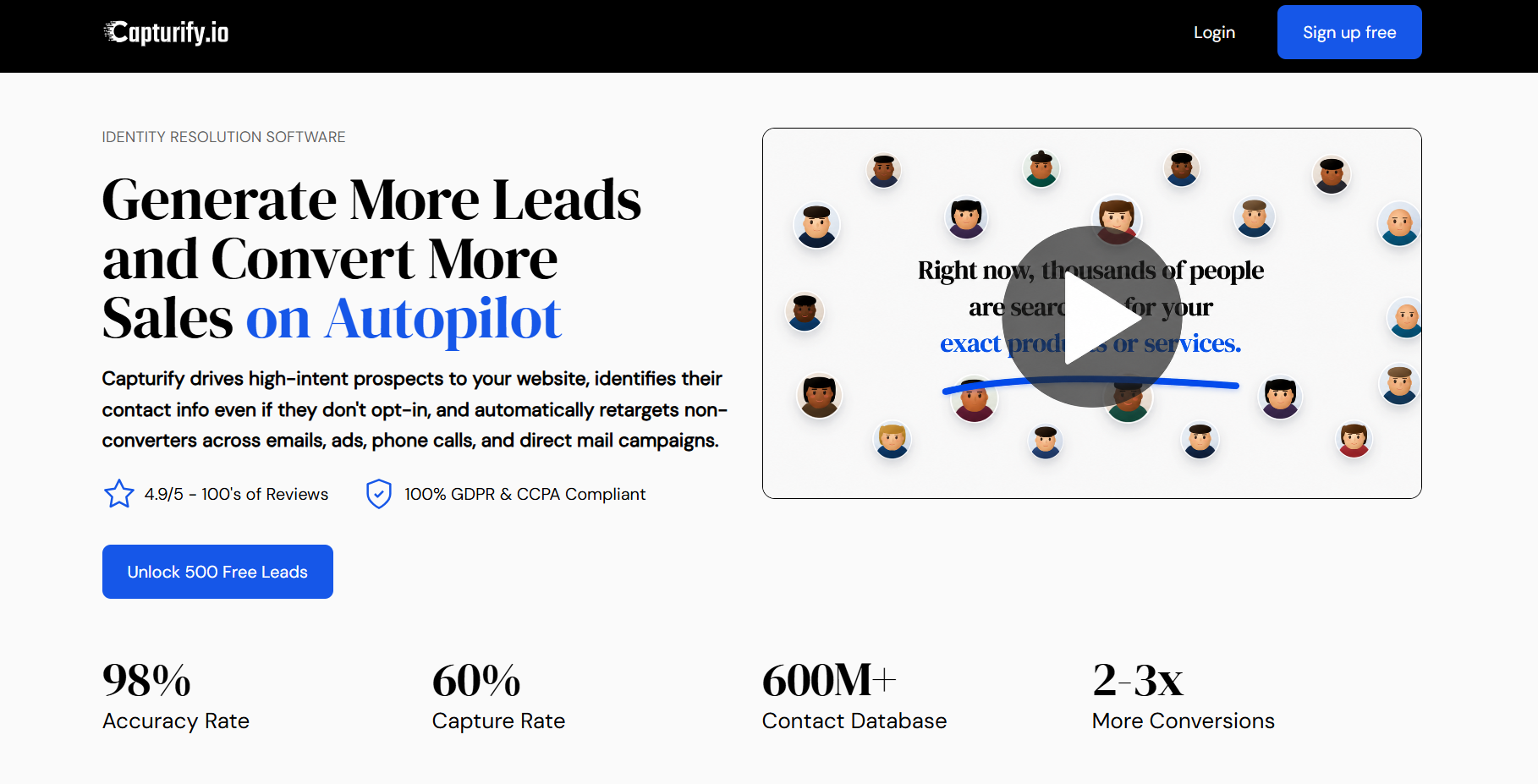
From there, your team can turn those signals into action. Visitor behavior can inform audience building, lead prioritization, automated outreach, and other marketing activities tied to existing systems.
Capturify can also support activation through channels such as email, Meta, Google, and direct mail, which makes it easier to connect buyer interest with the next step in your workflow.
If you want to see how it fits into your B2B automation strategy, try Capturify and get 500 free leads to start.
FAQs About B2B Automation
What is the most commonly used B2B software?
CRM software is one of the most widely used B2B tools because it gives businesses a central place to manage leads, accounts, sales activity, and customer relationships. Many companies connect their customer relationship management system with marketing automation software and sales tools, making the CRM a central source of customer and account information.
What is a good example of B2B?
A common B2B example is a software company selling a platform to other businesses. A CRM provider, for instance, may sell subscriptions to companies that need to manage leads and customer interactions. Other examples include manufacturers selling to distributors or professional service firms working with corporate clients.
What business processes are best suited for automation?
Processes with repeatable rules are usually good candidates for automation. Examples include lead routing, data entry, email follow-up, customer segmentation, and internal notifications. Repetitive tasks with clear triggers and predictable next steps are often the easiest place to start.
Can small businesses use B2B automation?
Yes. Small businesses can use B2B automation even with a simple tech stack. A small team might automate lead capture, follow-up emails, CRM updates, or sales notifications first. As the business grows, additional automation can support lead management, customer engagement, and more of the customer journey.